Atlassian apps/Jira Service Management
Asset Labels
Bulk QR Labels for Jira Assets
Print hundreds of QR labels for your Assets objects – with the fields you choose, on label sheets, label printers and Zebra.
In reviewIn Atlassian’s review, not yet on the Marketplace
What it does
What Asset Labels does
Bulk QR code labels for JSM Assets: pick objects by type and AQL, choose title, attribute lines, footer and QR content, and download a PDF for Avery sheets or label printers, or ZPL for Zebra. Data stays in your browser.
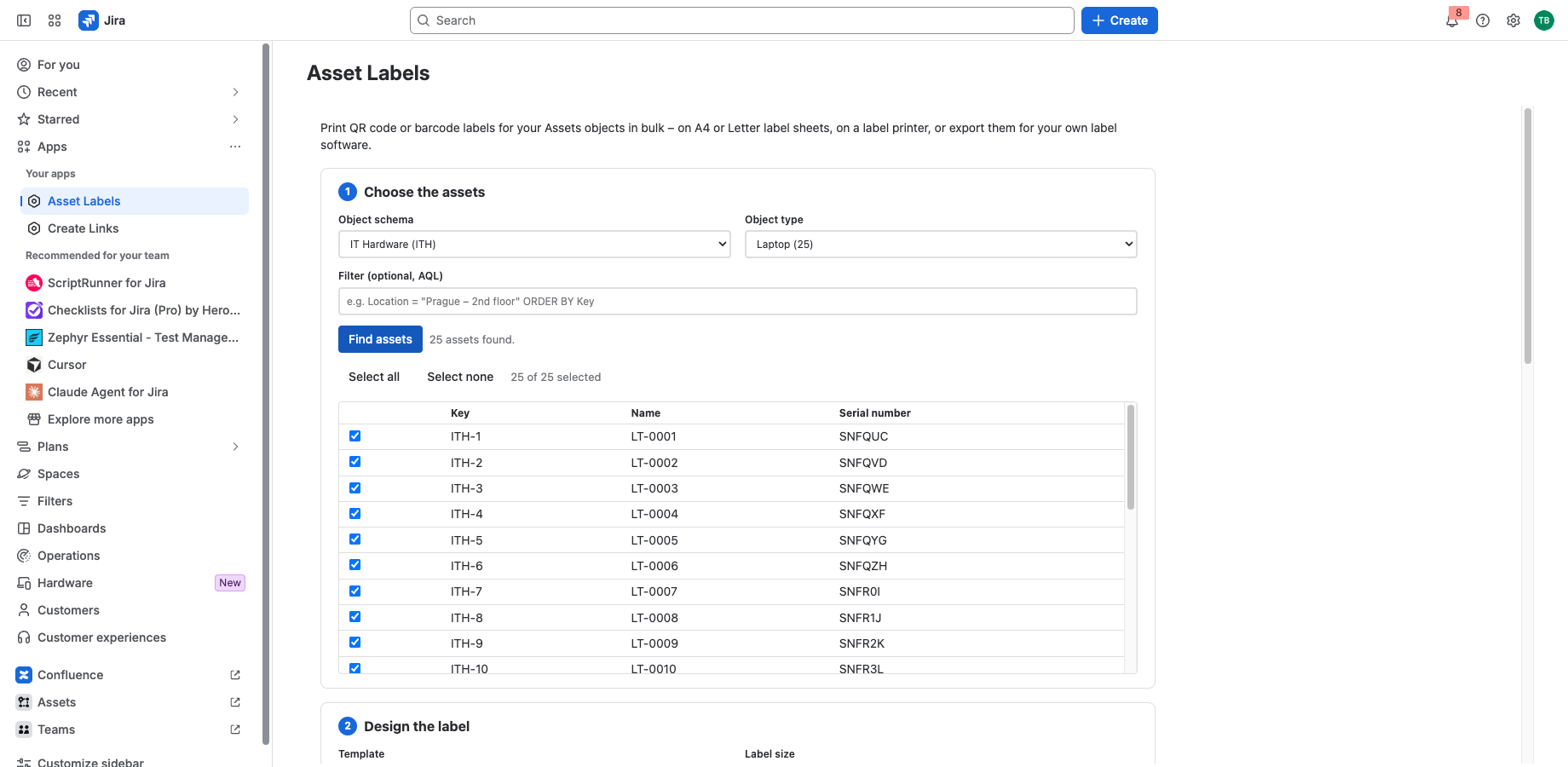
Hundreds of labels in one go
Choose an object type, filter with AQL and print every match: up to 1,000 labels per run, on A4 and Letter label sheets or one label per page for label printers.
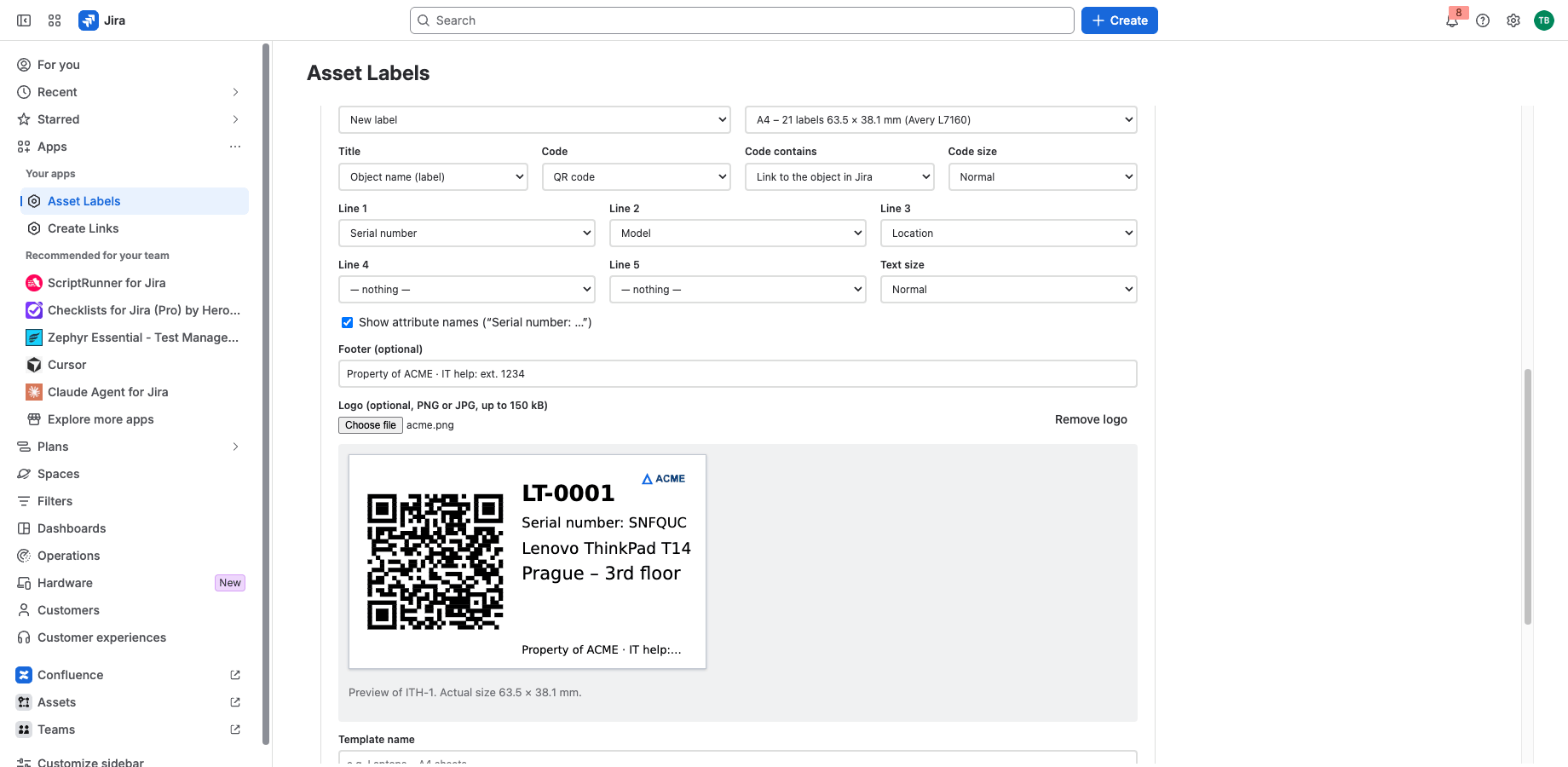
Your fields on every label
Title, up to three attribute lines and a footer such as “Property of ACME”. The QR code opens the object in Jira, or holds the key or a serial number.
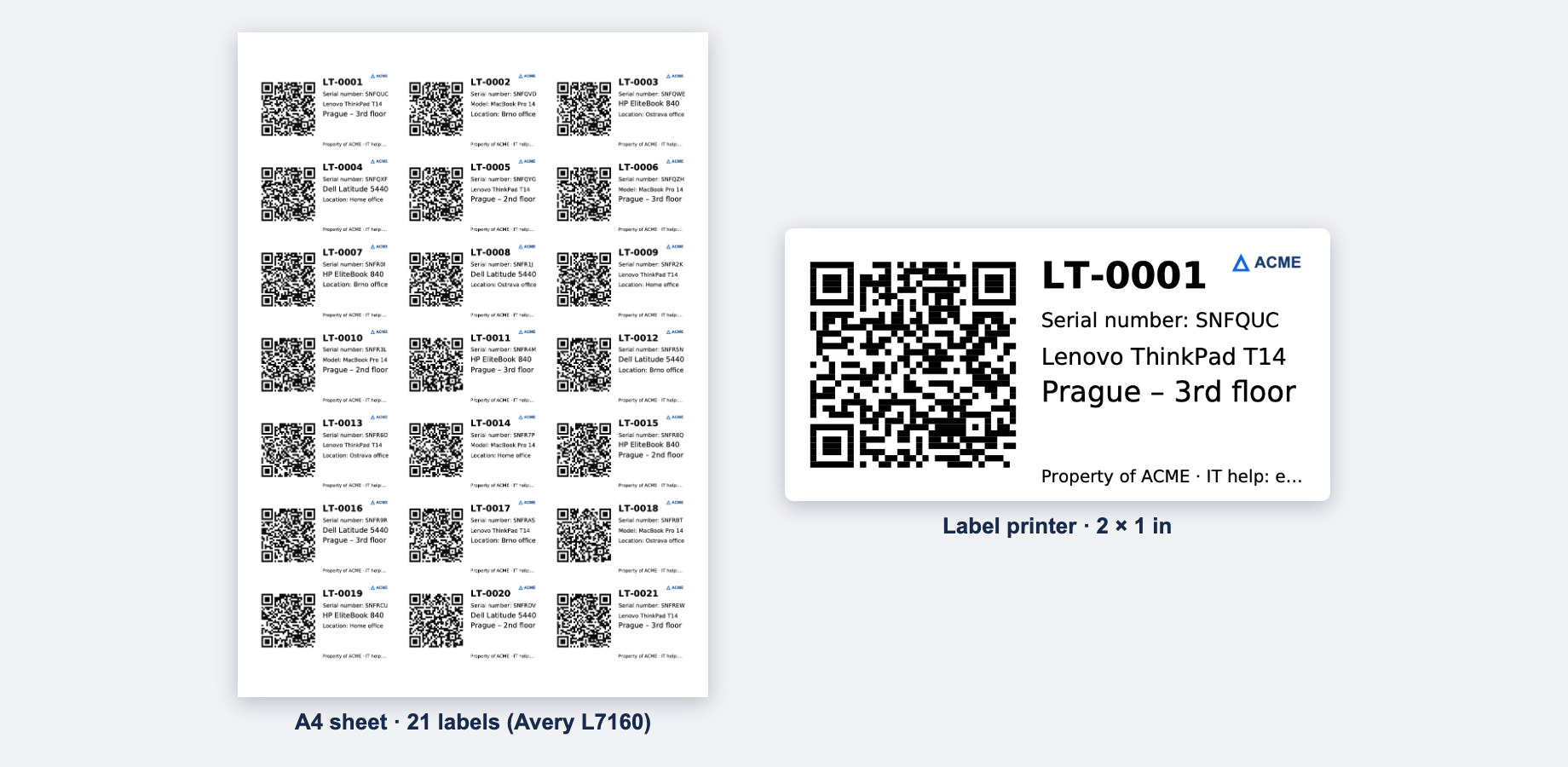
Sheets, label printers and Zebra
PDFs for Avery L7160, L7159, 5160 and more, start in the middle of a used sheet, ZPL for Zebra printers. Templates keep the design for the whole team.
Runs on Atlassian
Built on Forge, hosted by Atlassian
- Platform
- Atlassian Forge, hosted by Atlassian
- Your data
- No data leaves Atlassian
- Availability
- In Atlassian’s review, not yet on the Marketplace
- Privacy, terms and security
- Documentation
Portfolio
More apps for Jira and Confluence
 JIRAUndeleteRecycle Bin & Restore for JiraOn Marketplace
 JIRAForm SyncCopy, Version History & Backup for Jira FormsOn Marketplace
 CONFUndeleteTrash Audit & Restore for ConfluenceOn Marketplace
 JIRACreate LinksPrefilled Create Issue Links for JiraIn review
 JIRATeam EstimationSizing Board & Planning Poker for JiraIn review
 JIRADashboard StatisticsTeam, Organization & Sums for JiraIn review
 JSMCustomer Profiles & Healthfor Jira Service ManagementIn review
 CONFBlog to PageConvert & Archive Blog Posts for ConfluenceIn review
 CONFCQL ResultsSearch Tables for ConfluenceIn review
Support
Questions about Asset Labels?
Documentation
Setup, features, privacy, terms and security.
Read the documentationSupport portal
Open a request and follow its progress.
Open the portalSupport e-mail
Write to support; your message becomes a request.
support@tsutsei-support.atlassian.net