Atlassian apps/Confluence
Blog to Page
Convert & Archive Blog Posts for Confluence
Turn blog posts into pages with their files, labels and comments – one at a time or into year and month archives.
In reviewIn Atlassian’s review, not yet on the Marketplace

What it does
What Blog to Page does
Convert Confluence blog posts into pages – with attachments, labels, an “originally published by” note and comments – or archive hundreds of old blog posts in year and month pages. Keep, link or trash the original; undo any conversion.
Any blog post becomes a page
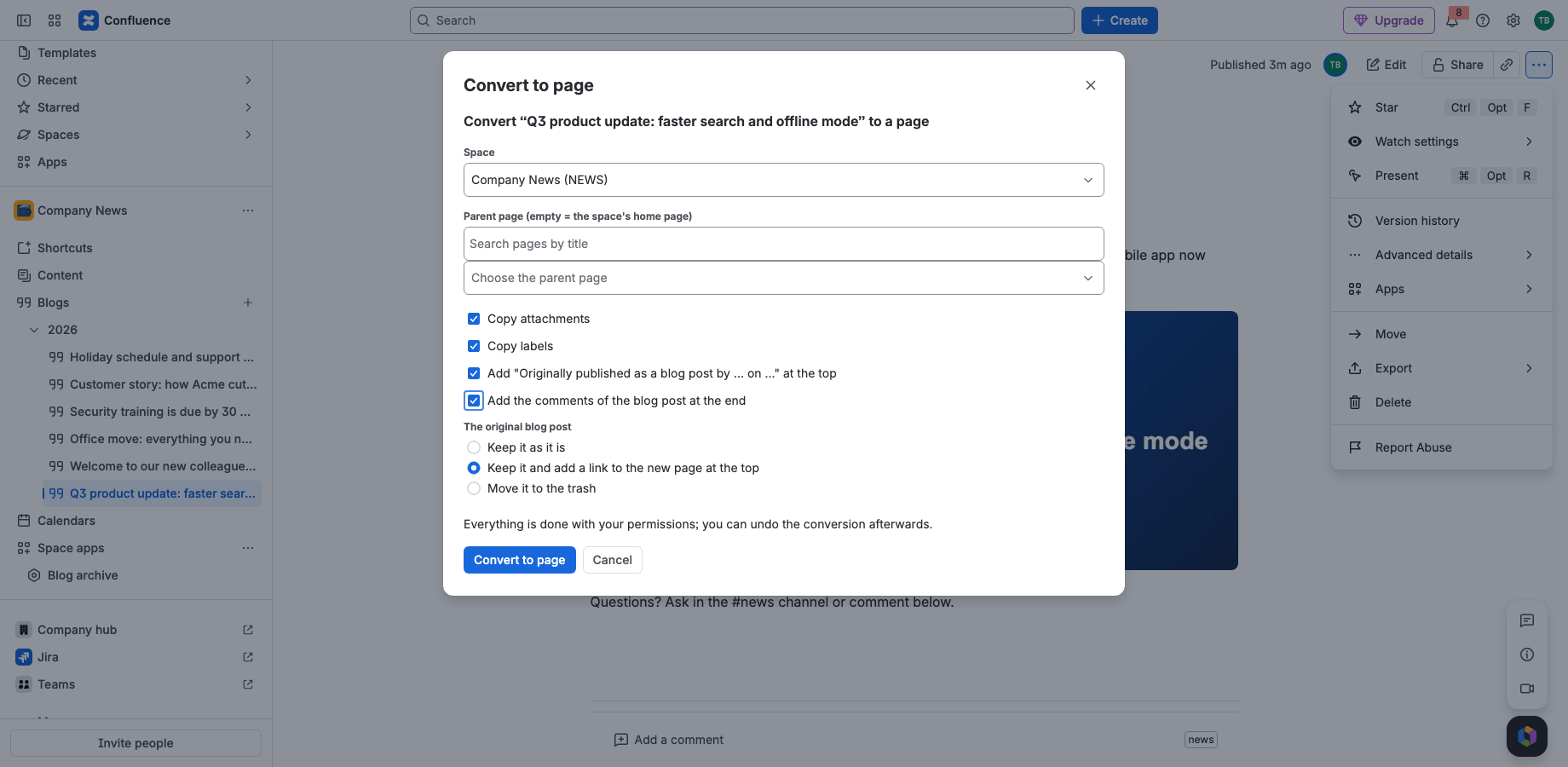
••• › Apps › Convert to page: pick the space and parent; attachments, labels and comments come along, and a note keeps the original author and date.
Archive old news in one go
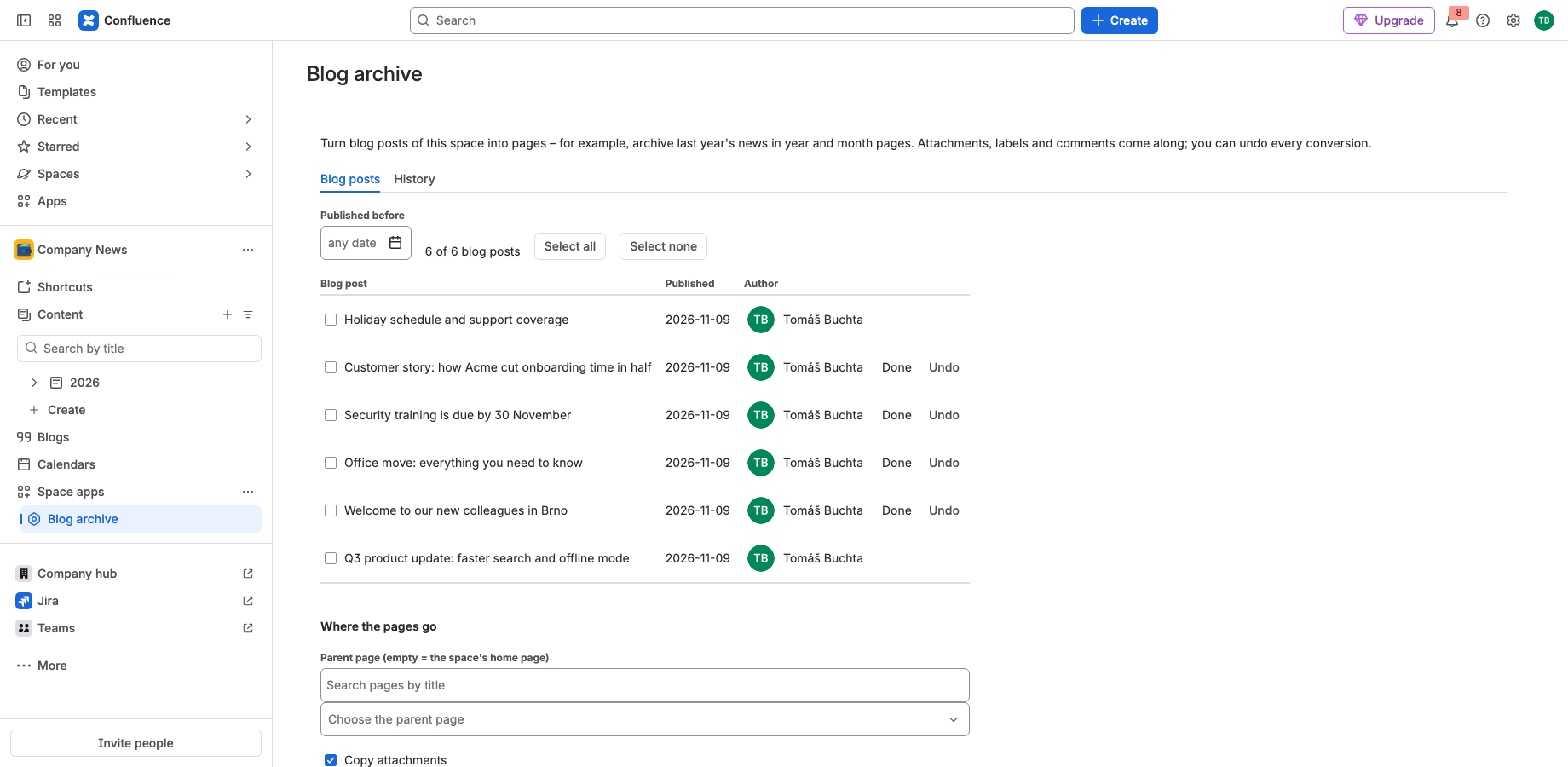
Select the blog posts published before a date and move them into year and month pages under a parent of your choice, with progress and undo per post.
Nothing gets lost
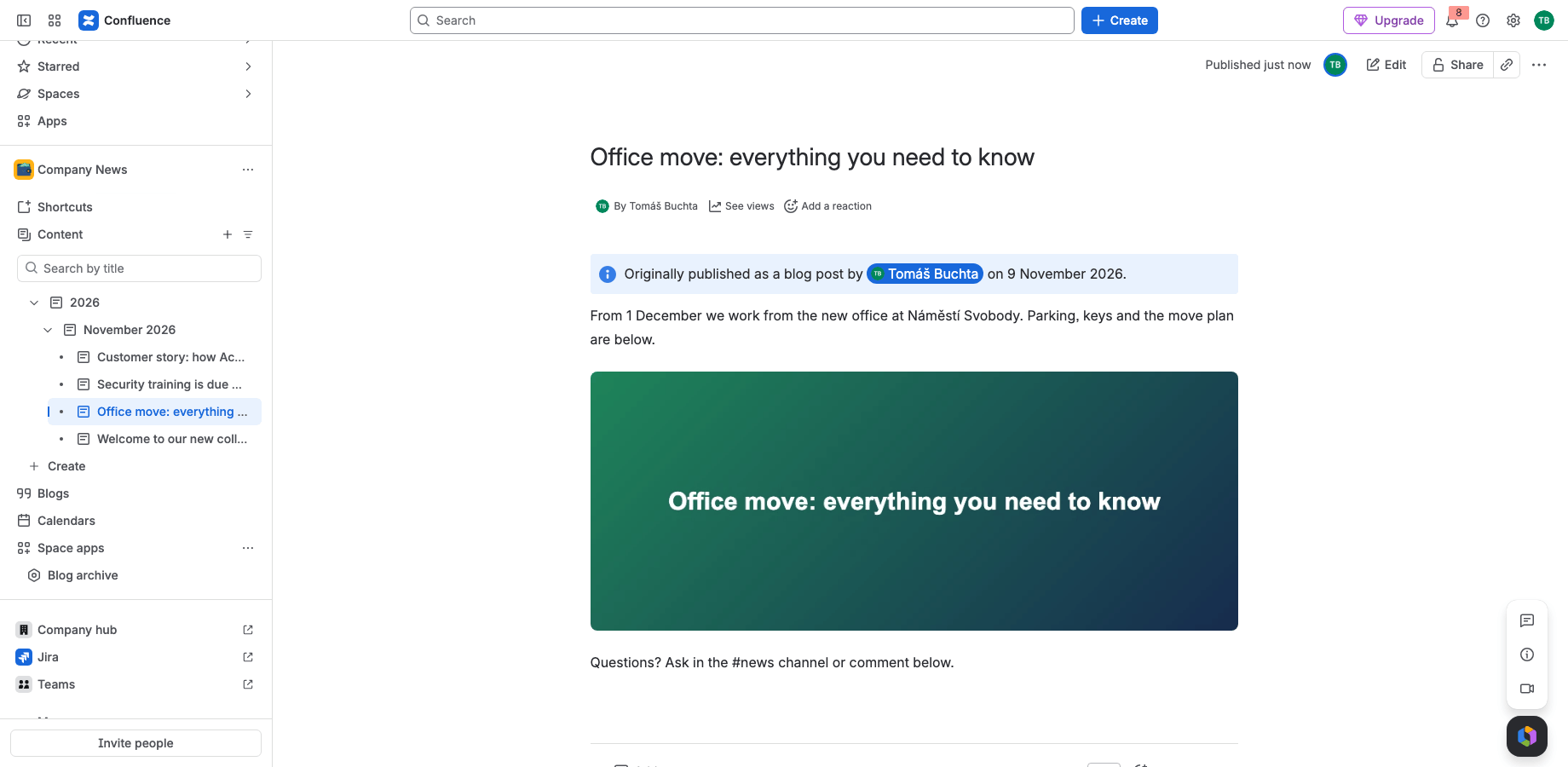
Images and file links keep working, titles stay unique, the original is kept, linked or trashed – and every conversion can be undone from the History.
Runs on Atlassian
Built on Forge, hosted by Atlassian
- Platform
- Atlassian Forge, hosted by Atlassian
- Your data
- No data leaves Atlassian
- Availability
- In Atlassian’s review, not yet on the Marketplace
- Privacy, terms and security
- Documentation
Portfolio
More apps for Jira and Confluence
 JIRAUndeleteRecycle Bin & Restore for JiraOn Marketplace
 JIRAForm SyncCopy, Version History & Backup for Jira FormsOn Marketplace
 CONFUndeleteTrash Audit & Restore for ConfluenceOn Marketplace
 JIRACreate LinksPrefilled Create Issue Links for JiraIn review
 JIRATeam EstimationSizing Board & Planning Poker for JiraIn review
 JIRADashboard StatisticsTeam, Organization & Sums for JiraIn review
 JSMAsset LabelsBulk QR Labels for Jira AssetsIn review
 JSMCustomer Profiles & Healthfor Jira Service ManagementIn review
 CONFCQL ResultsSearch Tables for ConfluenceIn review
Support
Questions about Blog to Page?
Documentation
Setup, features, privacy, terms and security.
Read the documentationSupport portal
Open a request and follow its progress.
Open the portalSupport e-mail
Write to support; your message becomes a request.
support@tsutsei-support.atlassian.net