Atlassian apps/Jira
Undelete
Recycle Bin & Restore for Jira
Restore deleted Jira issues with comments, attachments and inline images – in one click.
On Marketplace

What it does
What Undelete does
Jira deletes issues permanently. Undelete keeps a copy of every issue and lets admins restore deleted issues – fields, comments, worklogs, links, sub-tasks, attachments and inline images – and recover single deleted comments and files.
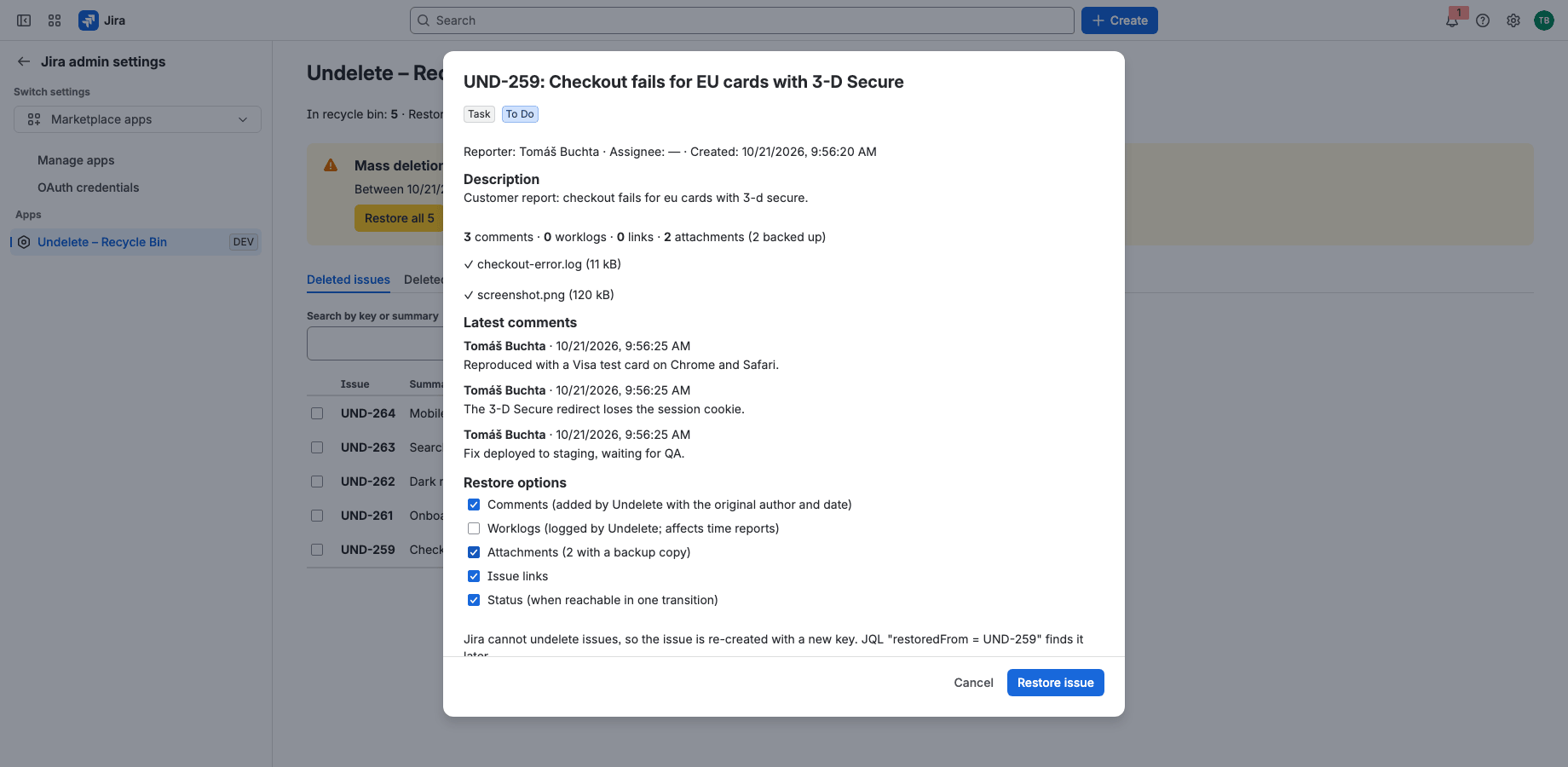
Restore deleted issues, including attachments
Fields, comments, worklogs, links, status and sub-tasks come back, and so do attachment files and inline images in the description and comments. A preview shows exactly what will be restored.
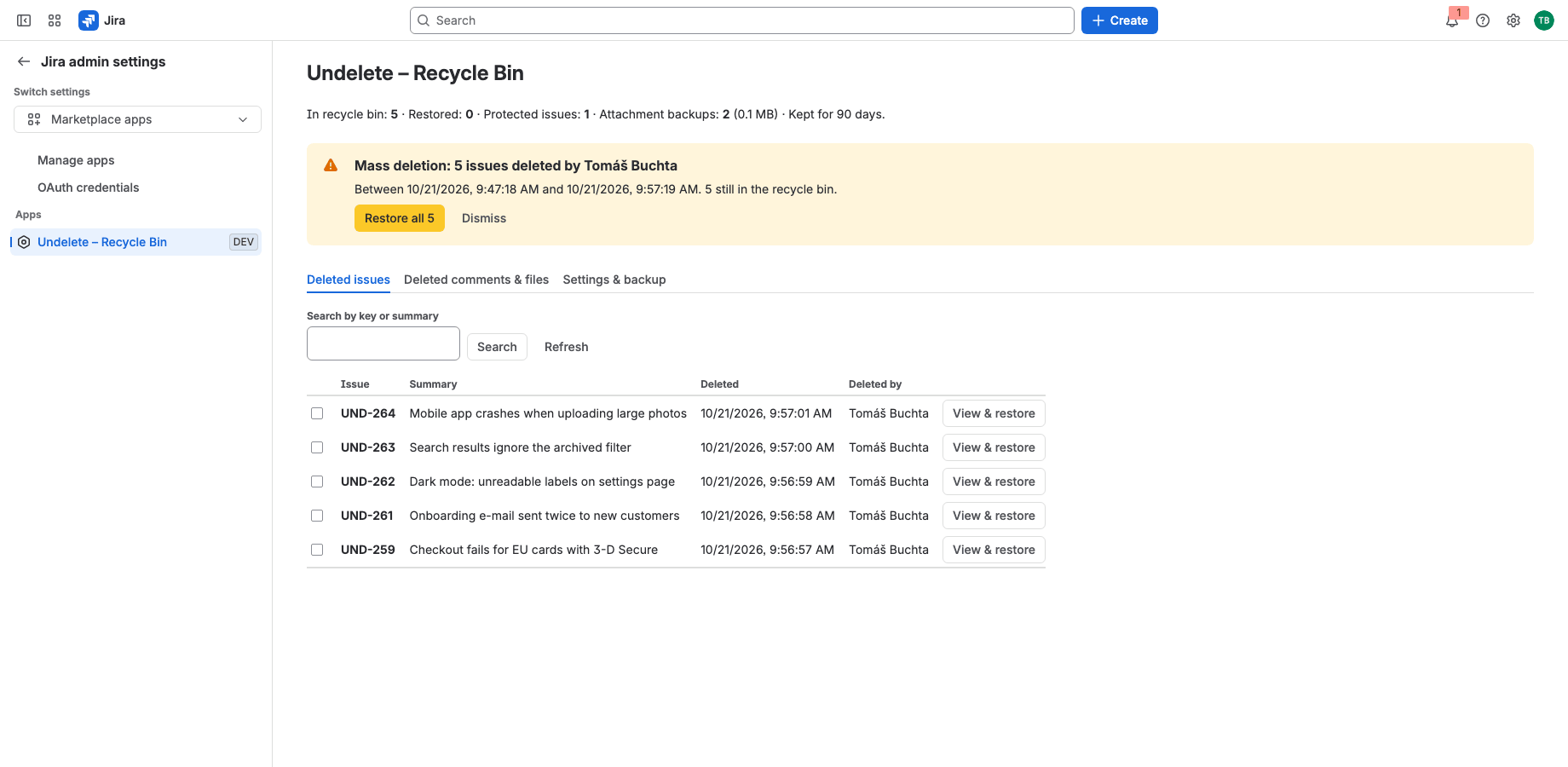
Catch mass deletions
When someone deletes many issues within minutes, Undelete groups them into an incident, creates an alert issue so Jira e-mails your admins, and restores the whole incident in one click.
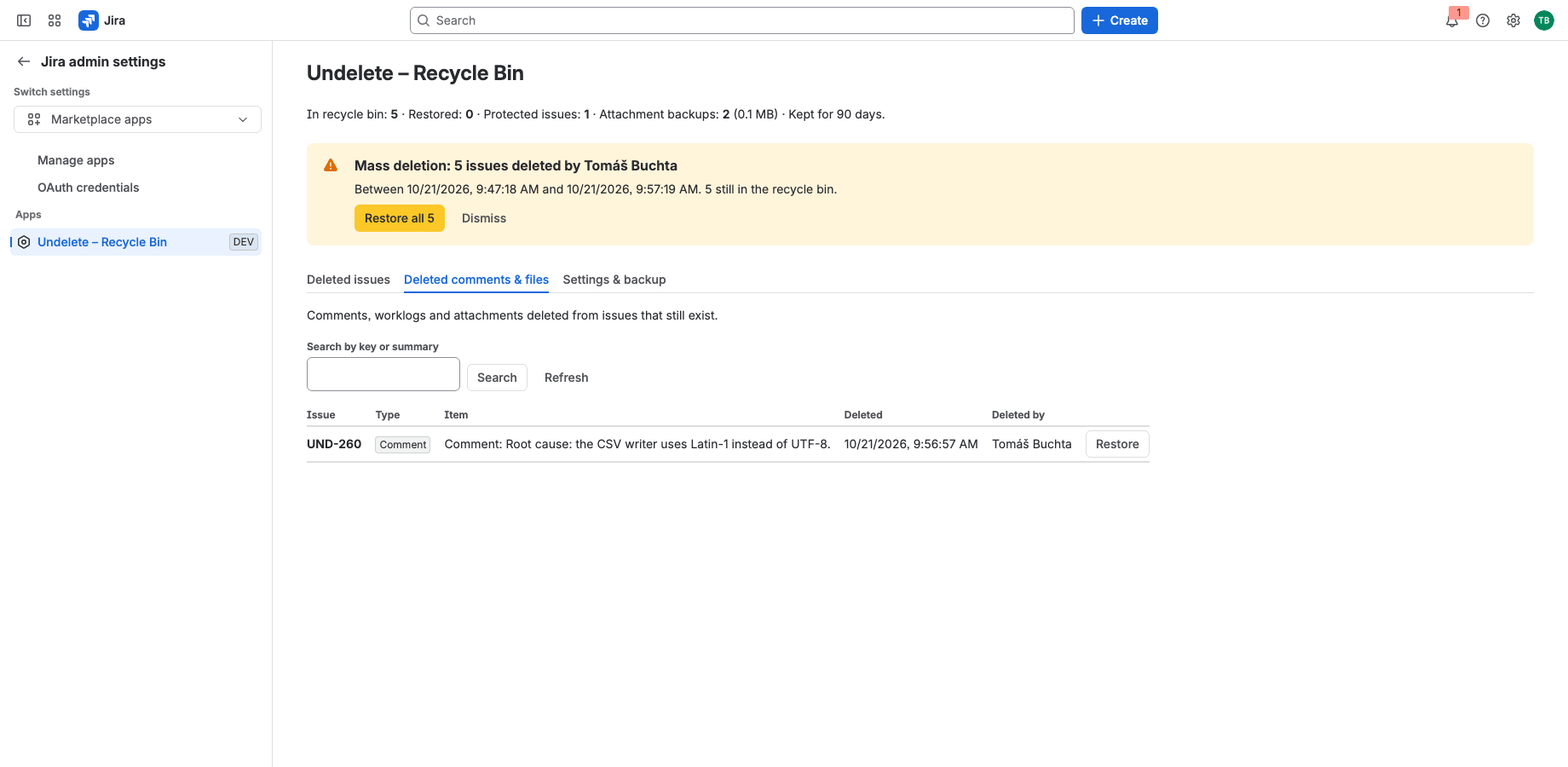
Recover deleted comments and files
Comments, worklogs and attachments deleted from issues that still exist can be put back individually. Project admins can use the recycle bin of their own projects.
Runs on Atlassian
Built on Forge, hosted by Atlassian
- Platform
- Atlassian Forge, hosted by Atlassian
- Your data
- No data leaves Atlassian
- Availability
- Atlassian Marketplace
- Privacy, terms and security
- Documentation
Portfolio
More apps for Jira and Confluence
 JIRAForm SyncCopy, Version History & Backup for Jira FormsOn Marketplace
 CONFUndeleteTrash Audit & Restore for ConfluenceOn Marketplace
 JIRACreate LinksPrefilled Create Issue Links for JiraIn review
 JIRATeam EstimationSizing Board & Planning Poker for JiraIn review
 JIRADashboard StatisticsTeam, Organization & Sums for JiraIn review
 JSMAsset LabelsBulk QR Labels for Jira AssetsIn review
 JSMCustomer Profiles & Healthfor Jira Service ManagementIn review
 CONFBlog to PageConvert & Archive Blog Posts for ConfluenceIn review
 CONFCQL ResultsSearch Tables for ConfluenceIn review
Support
Questions about Undelete?
Documentation
Setup, features, privacy, terms and security.
Read the documentationSupport portal
Open a request and follow its progress.
Open the portalSupport e-mail
Write to support; your message becomes a request.
support@tsutsei-support.atlassian.net