Atlassian apps/Confluence
Undelete
Trash Audit & Restore for Confluence
See who deleted or moved any page and restore it to its original place – even after the trash is emptied.
On Marketplace

What it does
What Undelete does
Confluence forgets who deleted a page and where it was. Undelete logs every deletion, move and restore, and brings pages back under their original parent with their child pages – even after the trash is emptied.
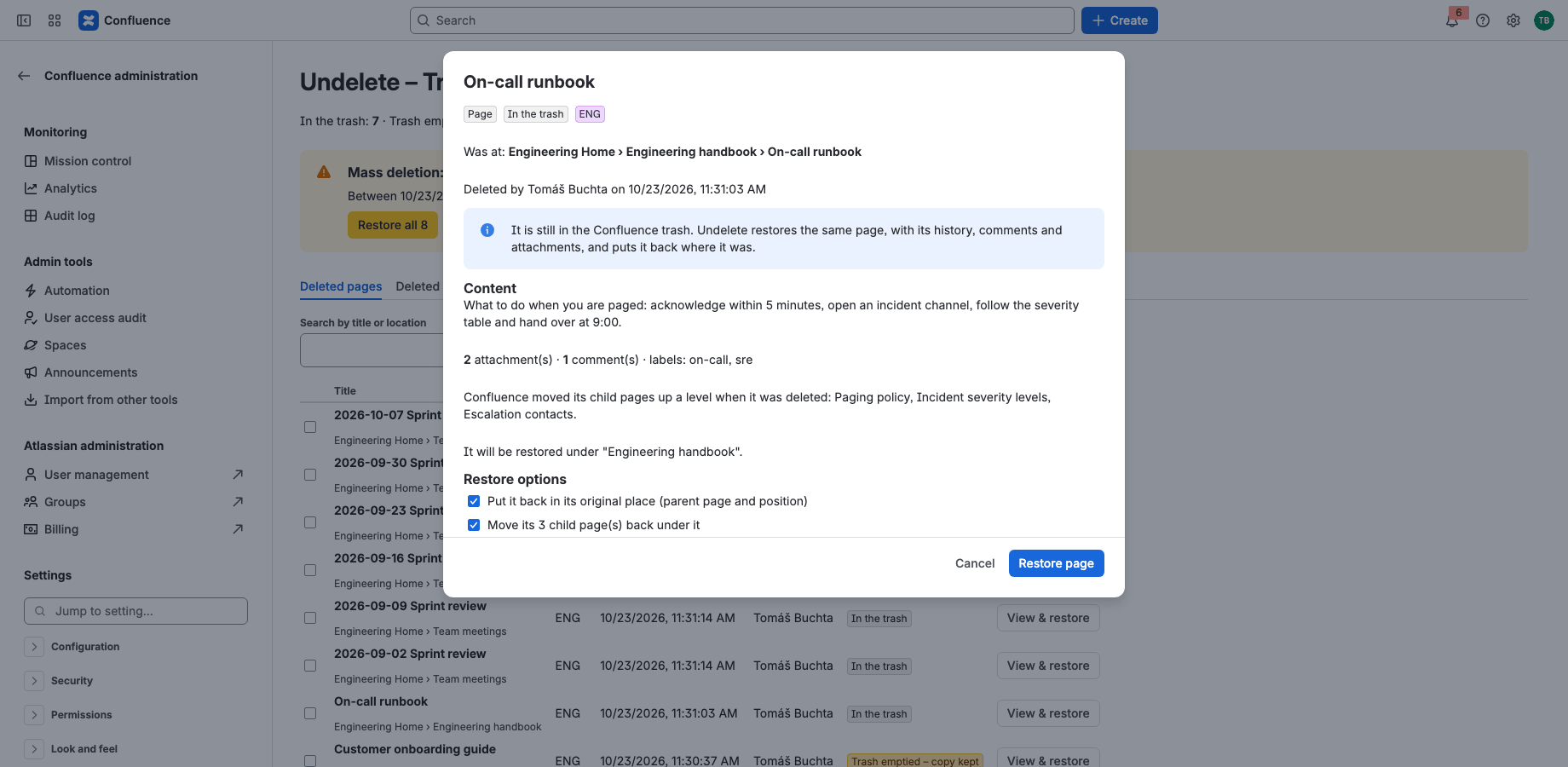
Restore to the original place
Pages come back under their original parent, in their original position, and the child pages Confluence moved up a level go back under them. One click, also for many pages at once.
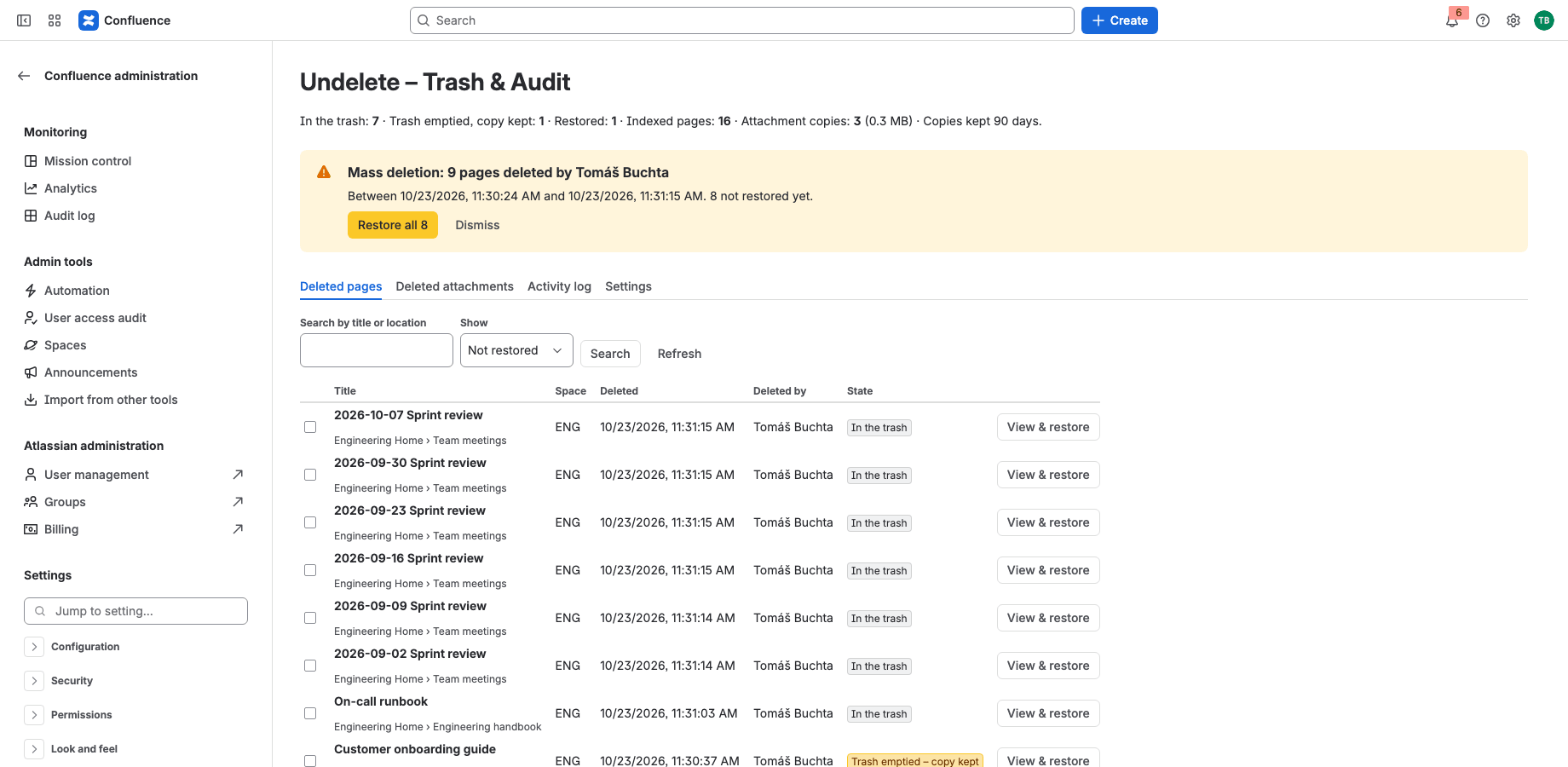
Recover after the trash is emptied
Undelete copies pages when they go to the trash: body, labels, comments and attachment files. Emptied pages are re-created from the copy.
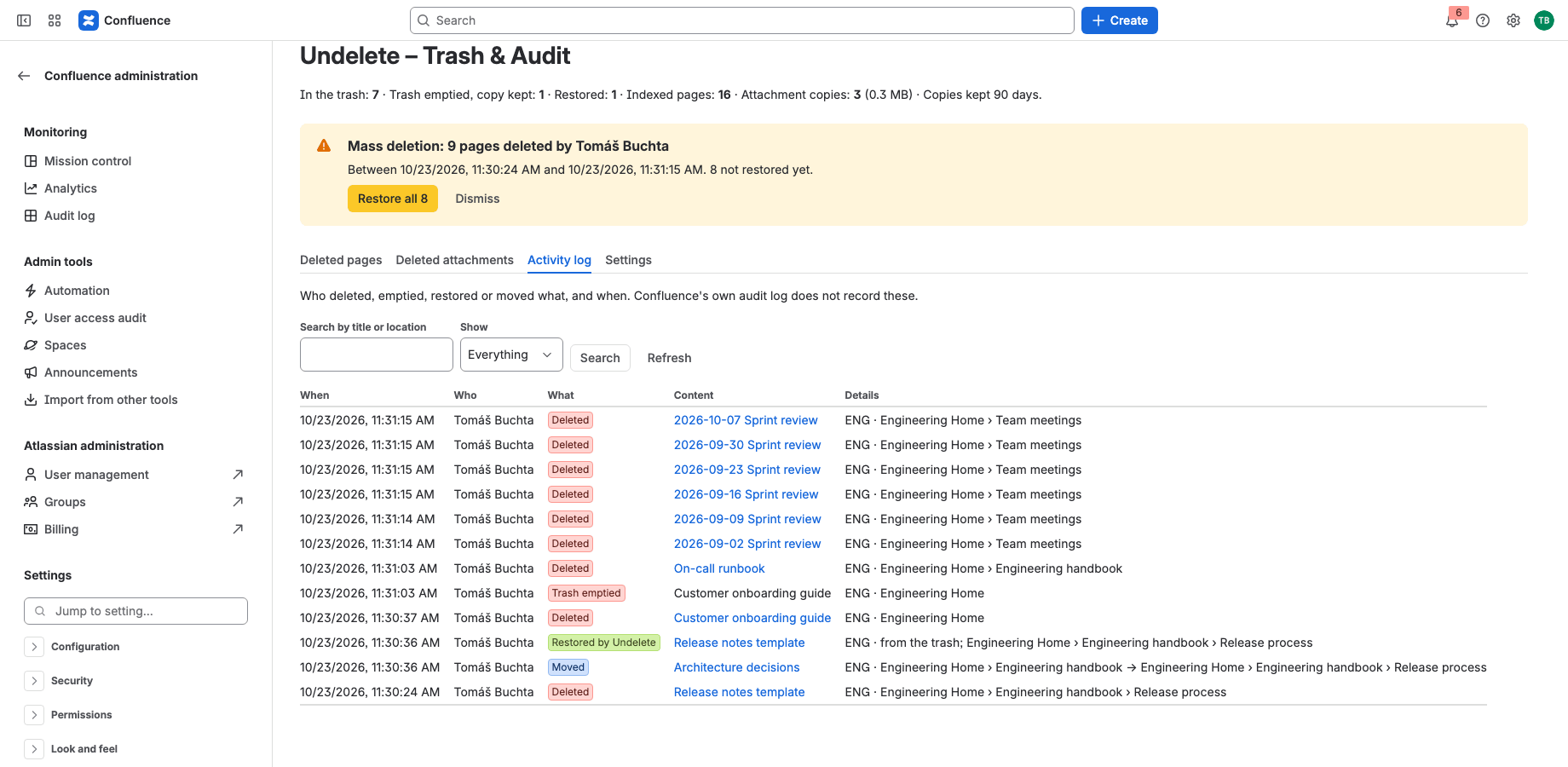
Know who deleted or moved what
An activity log of deletions, emptied trash, restores and moves (from → to), which Confluence’s audit log does not record. Mass deletions raise an alert.
Runs on Atlassian
Built on Forge, hosted by Atlassian
- Platform
- Atlassian Forge, hosted by Atlassian
- Your data
- No data leaves Atlassian
- Availability
- Atlassian Marketplace
- Privacy, terms and security
- Documentation
Portfolio
More apps for Jira and Confluence
 JIRAUndeleteRecycle Bin & Restore for JiraOn Marketplace
 JIRAForm SyncCopy, Version History & Backup for Jira FormsOn Marketplace
 JIRACreate LinksPrefilled Create Issue Links for JiraIn review
 JIRATeam EstimationSizing Board & Planning Poker for JiraIn review
 JIRADashboard StatisticsTeam, Organization & Sums for JiraIn review
 JSMAsset LabelsBulk QR Labels for Jira AssetsIn review
 JSMCustomer Profiles & Healthfor Jira Service ManagementIn review
 CONFBlog to PageConvert & Archive Blog Posts for ConfluenceIn review
 CONFCQL ResultsSearch Tables for ConfluenceIn review
Support
Questions about Undelete?
Documentation
Setup, features, privacy, terms and security.
Read the documentationSupport portal
Open a request and follow its progress.
Open the portalSupport e-mail
Write to support; your message becomes a request.
support@tsutsei-support.atlassian.net