Atlassian apps/Jira
Create Links
Prefilled Create Issue Links for Jira
Links that open the Jira create dialog with fields filled in – the Cloud replacement for CreateIssueDetails!init.jspa.
In reviewIn Atlassian’s review, not yet on the Marketplace

What it does
What Create Links does
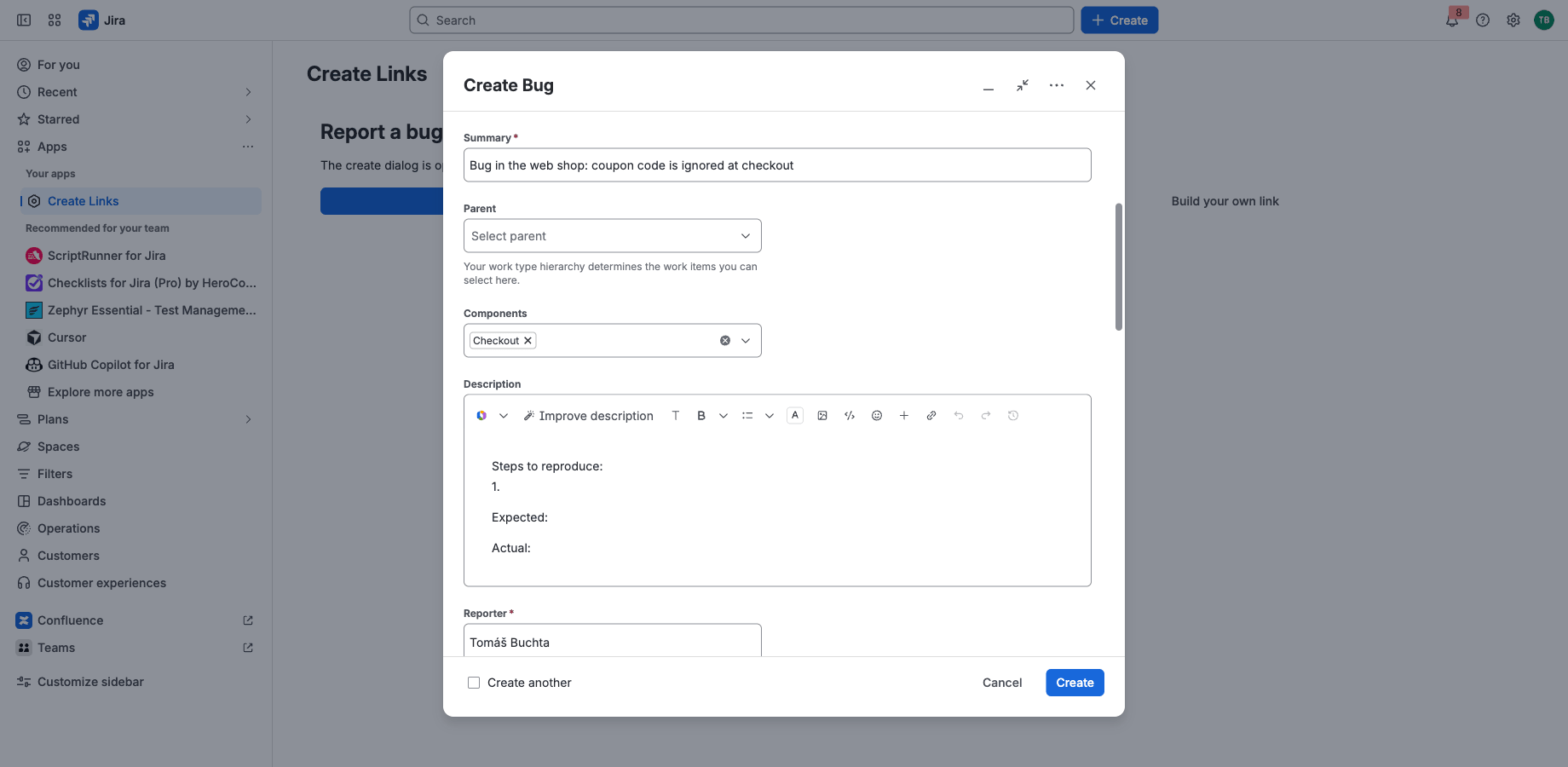
Put a link into Confluence, an e-mail, a bookmark or an alert, and it opens the Jira create dialog with the space, work type, summary, description, labels and custom fields already filled in. Works like the Data Center create links, so migrated links only need a new address.
Prefilled create links
Space, work type, summary, description, priority, labels, components, versions, due date, assignee and custom fields (text, number, date, select, multi-select).
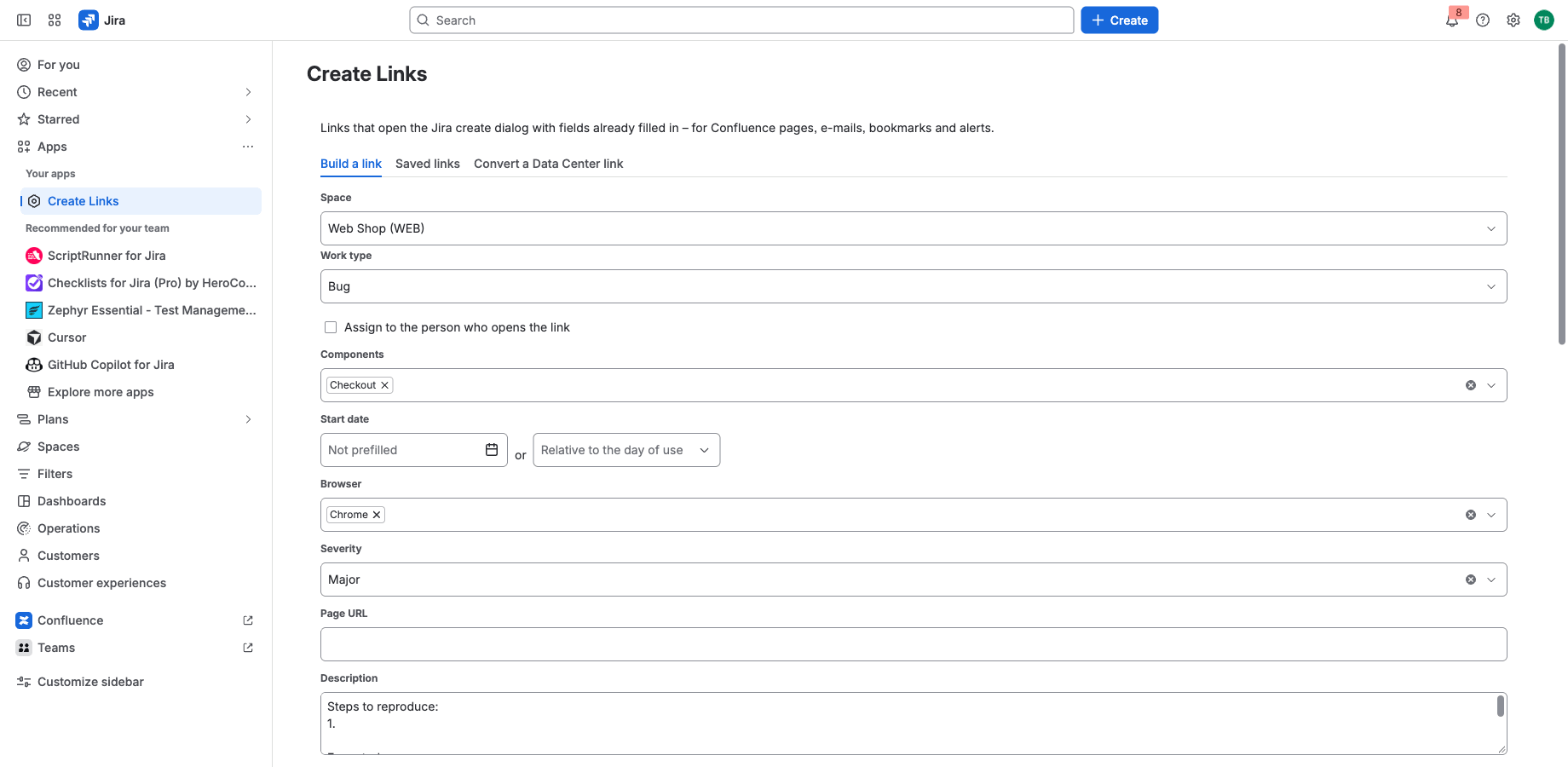
Build or save
Pick the fields in a builder; save a short link you can change later without touching the pages that use it.
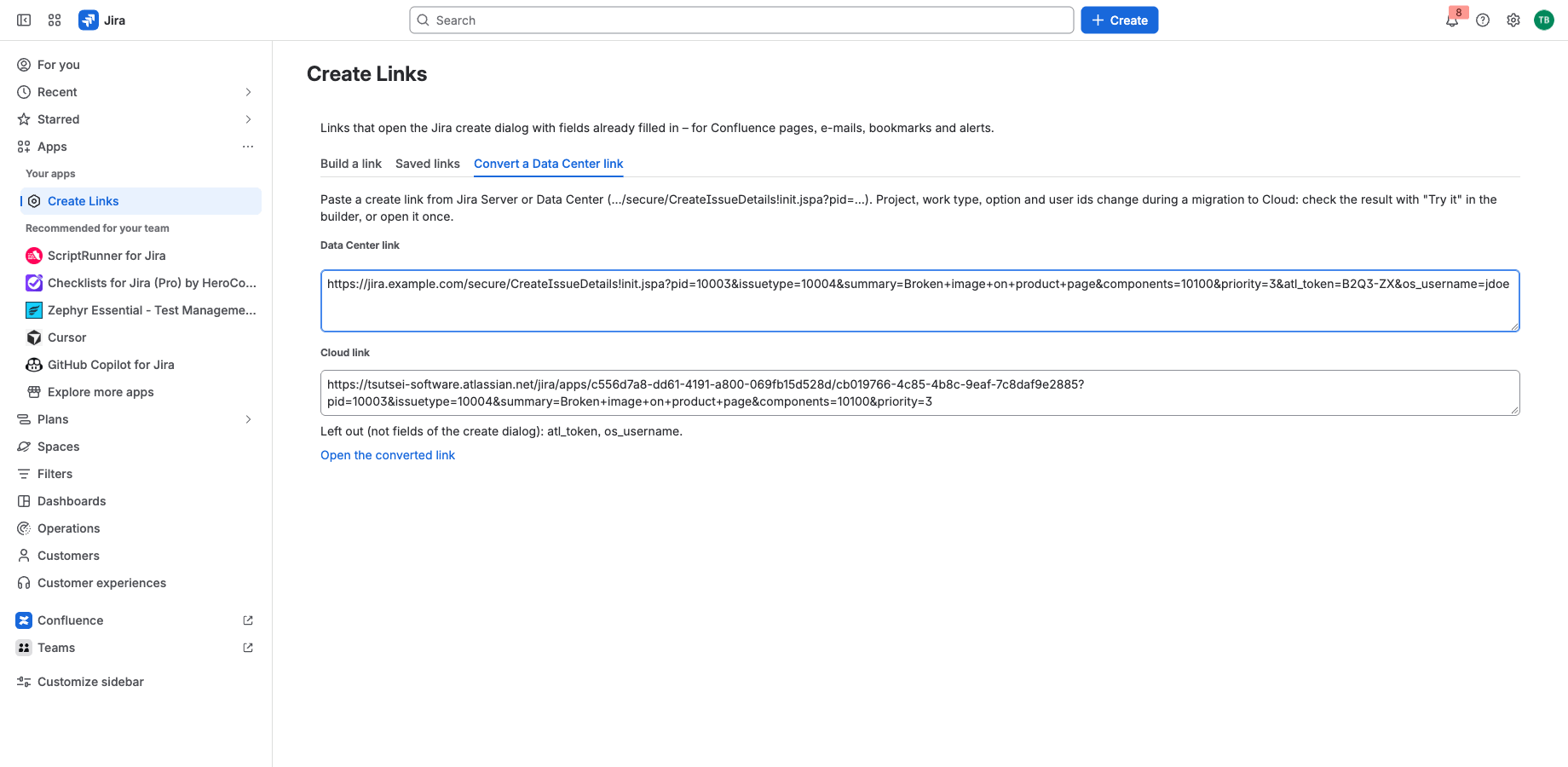
Bring your Data Center links
The same parameter names as CreateIssueDetails!init.jspa, plus a converter for old links.
Runs on Atlassian
Built on Forge, hosted by Atlassian
- Platform
- Atlassian Forge, hosted by Atlassian
- Your data
- No data leaves Atlassian
- Availability
- In Atlassian’s review, not yet on the Marketplace
- Privacy, terms and security
- Documentation
Portfolio
More apps for Jira and Confluence
 JIRAUndeleteRecycle Bin & Restore for JiraOn Marketplace
 JIRAForm SyncCopy, Version History & Backup for Jira FormsOn Marketplace
 CONFUndeleteTrash Audit & Restore for ConfluenceOn Marketplace
 JIRATeam EstimationSizing Board & Planning Poker for JiraIn review
 JIRADashboard StatisticsTeam, Organization & Sums for JiraIn review
 JSMAsset LabelsBulk QR Labels for Jira AssetsIn review
 JSMCustomer Profiles & Healthfor Jira Service ManagementIn review
 CONFBlog to PageConvert & Archive Blog Posts for ConfluenceIn review
 CONFCQL ResultsSearch Tables for ConfluenceIn review
Support
Questions about Create Links?
Documentation
Setup, features, privacy, terms and security.
Read the documentationSupport portal
Open a request and follow its progress.
Open the portalSupport e-mail
Write to support; your message becomes a request.
support@tsutsei-support.atlassian.net