Atlassian apps/Jira
Form Sync
Copy, Version History & Backup for Jira Forms
Copy Jira forms to many projects, keep the copies in sync, and restore any version – even of deleted forms.
On Marketplace

What it does
What Form Sync does
Jira Forms can’t be copied to many projects at once and keep no history. Form Sync copies forms across projects and sites, keeps copies in sync, stores every change with a readable diff and restores any version – even of deleted forms.
Copy to many projects at once
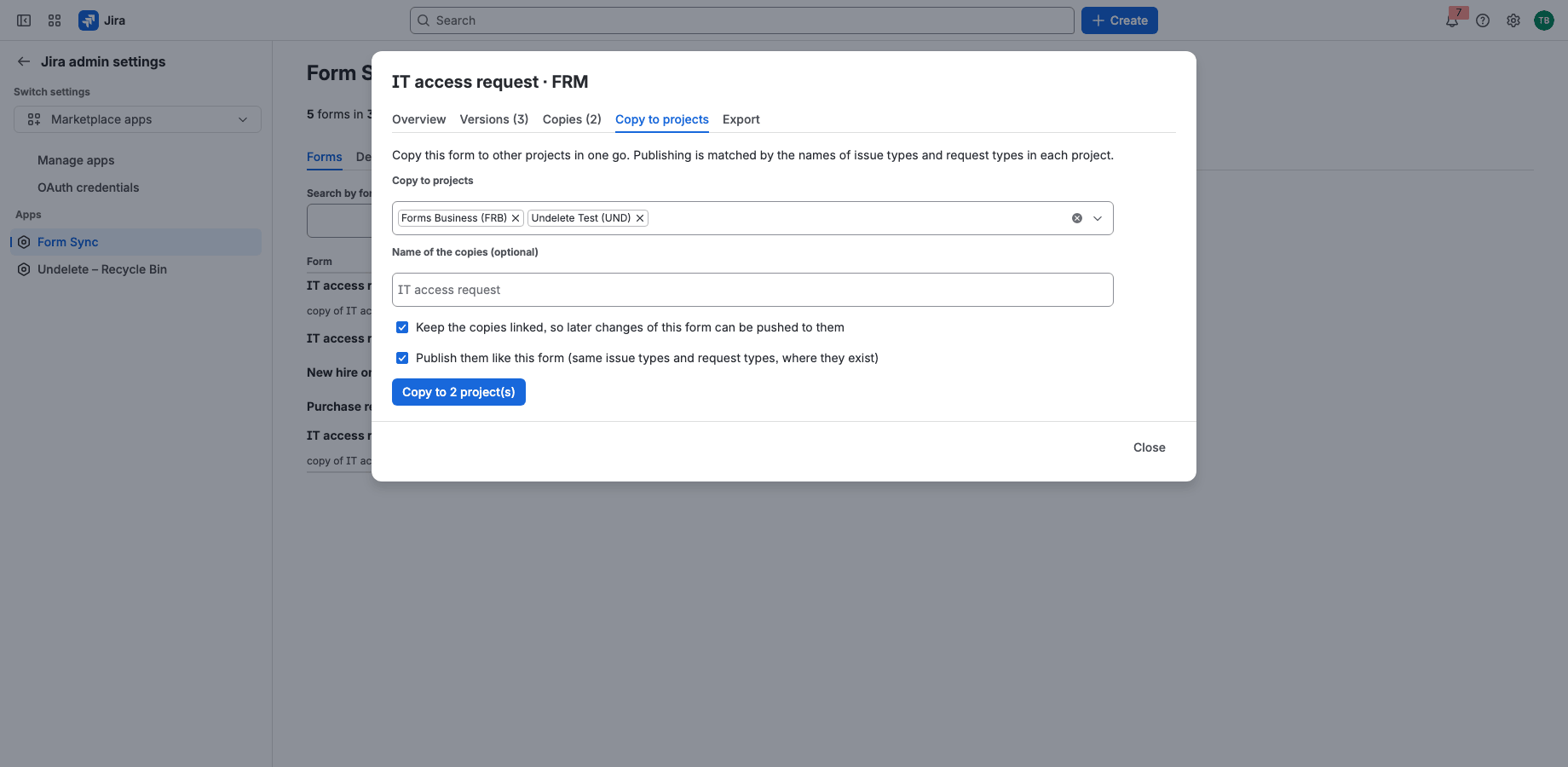
Pick the projects and copy a form in one go. Publishing for issue types, request types and the portal is matched by name in each project; anything missing is listed.
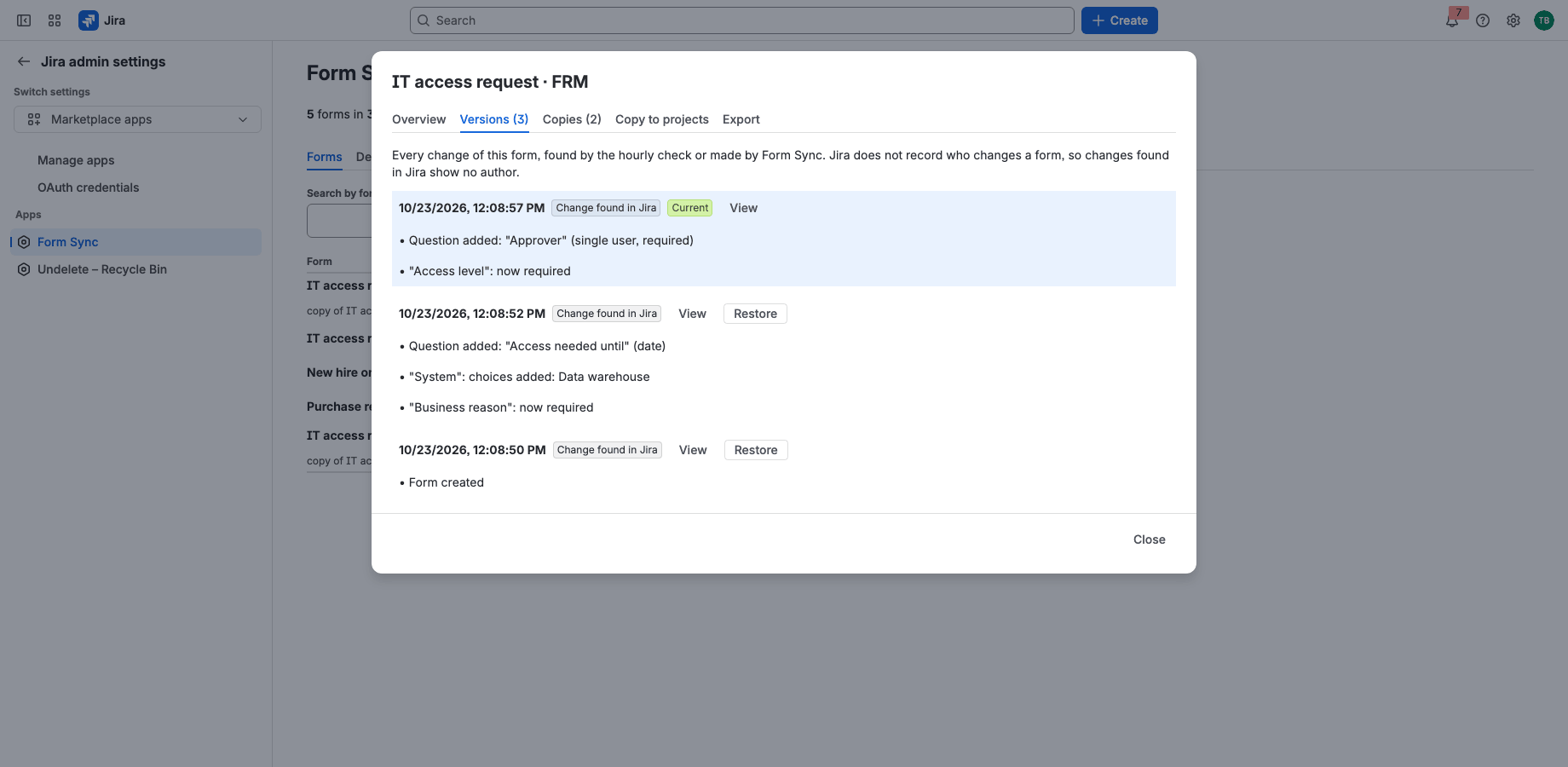
Every change, every version
Form Sync checks your forms every hour and keeps each version with a readable list of what changed. Restore any version, or bring back a form someone deleted.
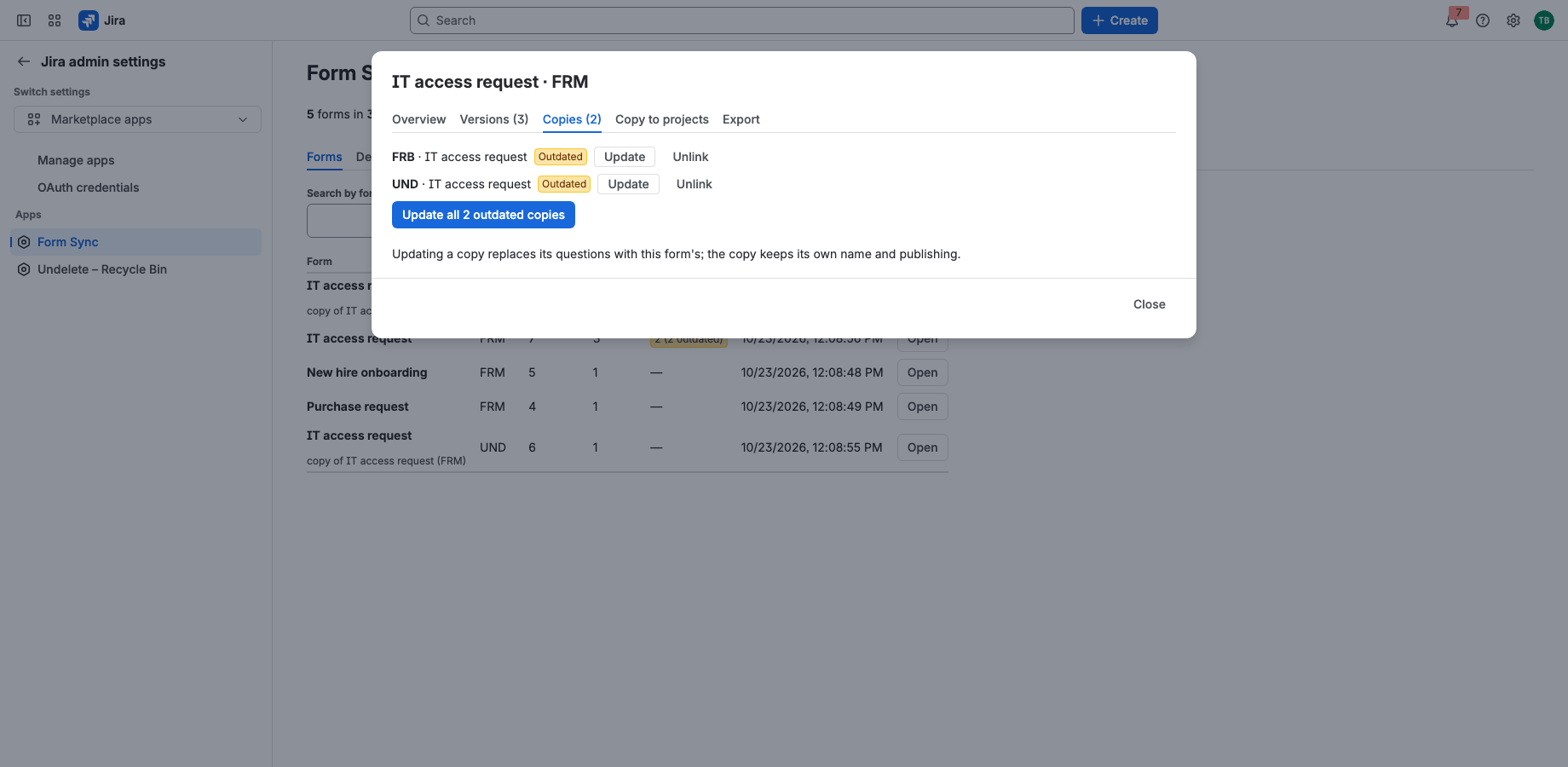
Keep copies in sync
Copies stay linked to their source. When the source changes, update all copies with one click or automatically; each copy keeps its own name and publishing.
Runs on Atlassian
Built on Forge, hosted by Atlassian
- Platform
- Atlassian Forge, hosted by Atlassian
- Your data
- No data leaves Atlassian
- Availability
- Atlassian Marketplace
- Privacy, terms and security
- Documentation
Portfolio
More apps for Jira and Confluence
 JIRAUndeleteRecycle Bin & Restore for JiraOn Marketplace
 CONFUndeleteTrash Audit & Restore for ConfluenceOn Marketplace
 JIRACreate LinksPrefilled Create Issue Links for JiraIn review
 JIRATeam EstimationSizing Board & Planning Poker for JiraIn review
 JIRADashboard StatisticsTeam, Organization & Sums for JiraIn review
 JSMAsset LabelsBulk QR Labels for Jira AssetsIn review
 JSMCustomer Profiles & Healthfor Jira Service ManagementIn review
 CONFBlog to PageConvert & Archive Blog Posts for ConfluenceIn review
 CONFCQL ResultsSearch Tables for ConfluenceIn review
Support
Questions about Form Sync?
Documentation
Setup, features, privacy, terms and security.
Read the documentationSupport portal
Open a request and follow its progress.
Open the portalSupport e-mail
Write to support; your message becomes a request.
support@tsutsei-support.atlassian.net