Atlassian apps/Confluence
CQL Results
Search Tables for Confluence
Search Confluence with CQL and show the results as tables, lists or counts – on a search page and in any page.
In reviewIn Atlassian’s review, not yet on the Marketplace

What it does
What CQL Results does
Search Confluence with CQL without learning it: filters and ready-made reports write the query. Get sortable tables with the columns you choose, copy them to Excel, share searches as links and put live results on pages as a table, list or count.
Find anything with filters or CQL
Quick filters and ready-made reports write the CQL for you: stale pages, recent changes, attachments with type and size. Choose columns, sort, and share the search as a link.
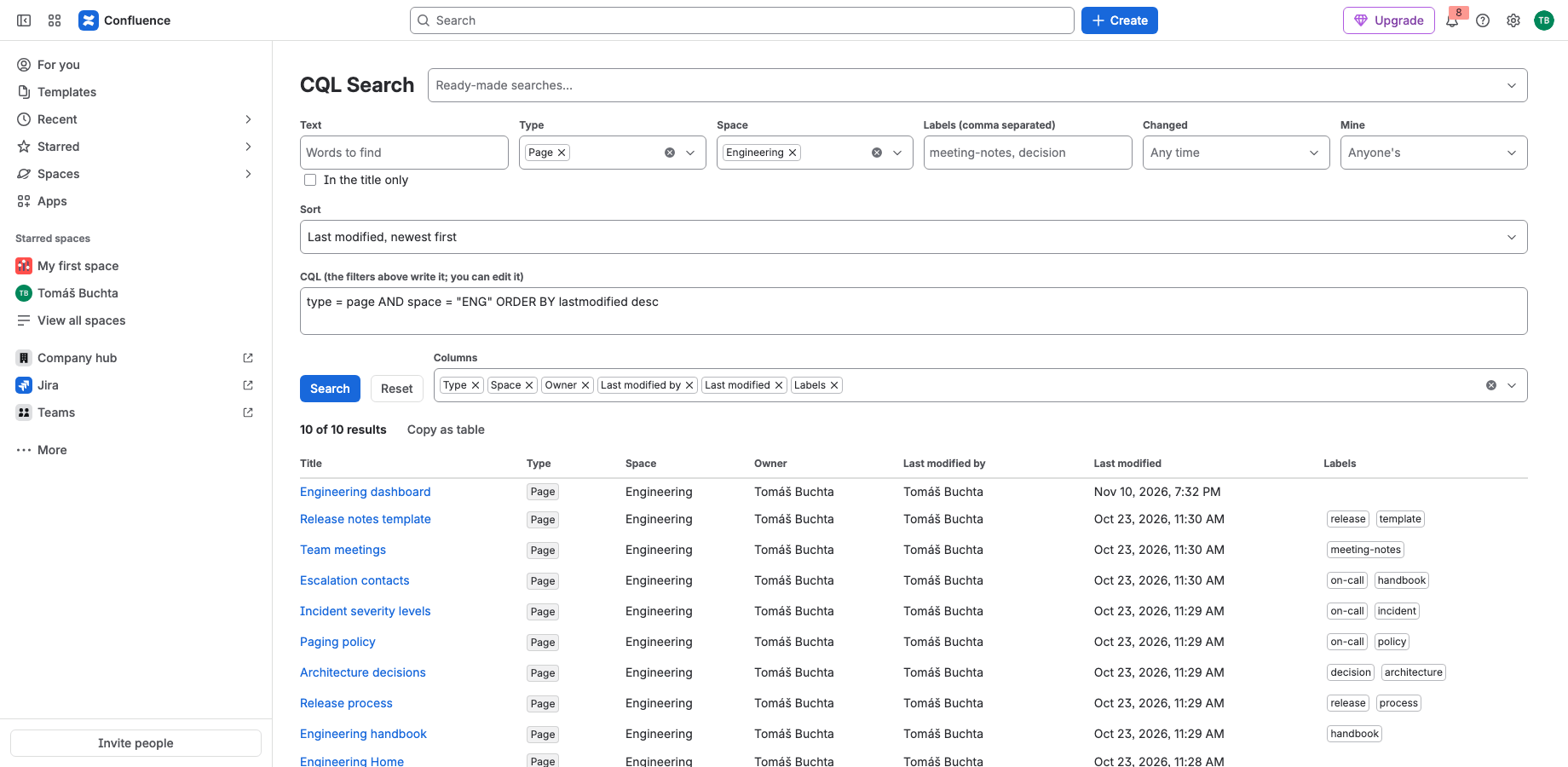
Copy the results to a spreadsheet
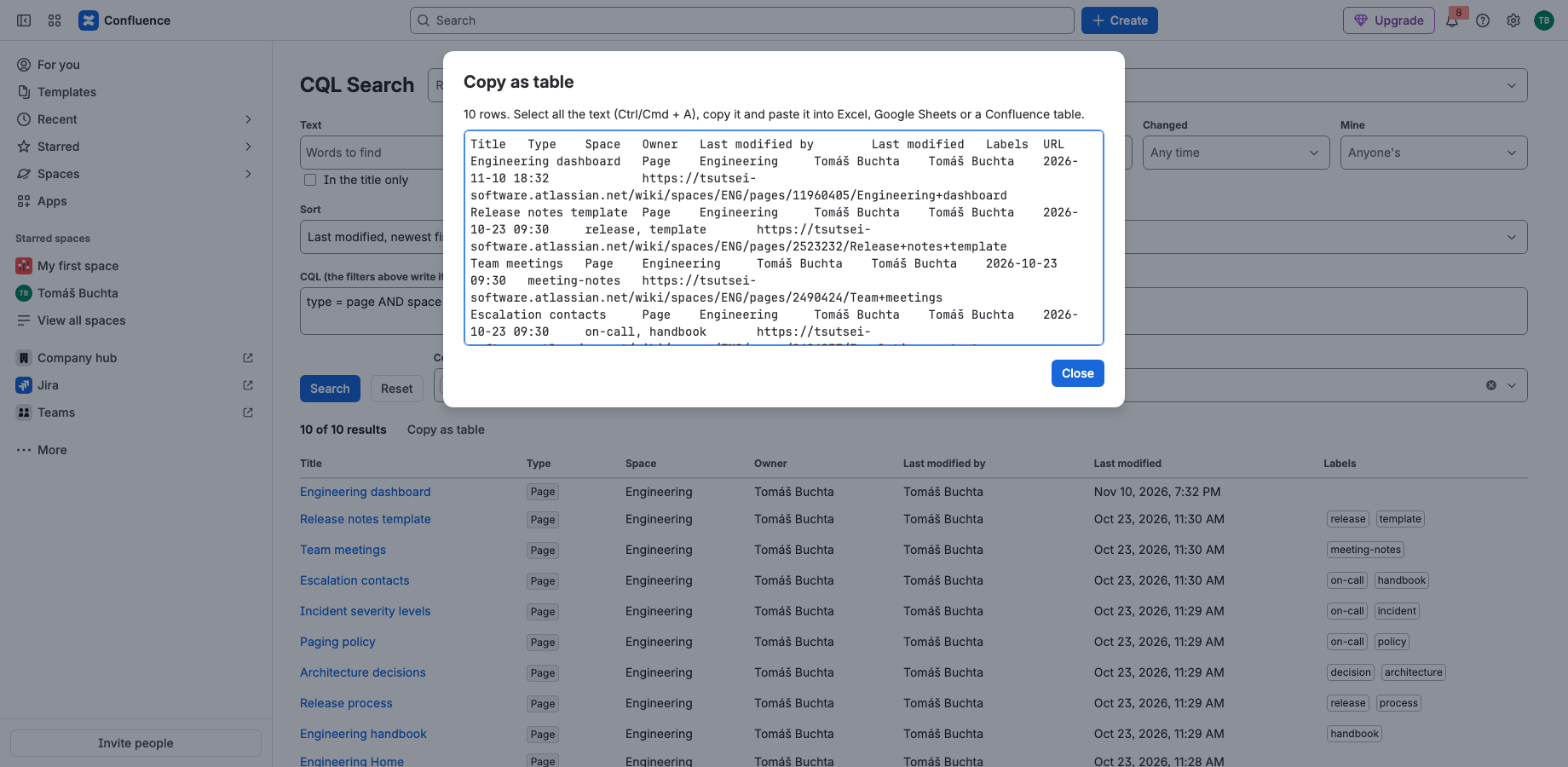
Copy as table collects up to 1,000 results with the columns you chose and full links, ready to paste into Excel, Google Sheets or a Confluence table.
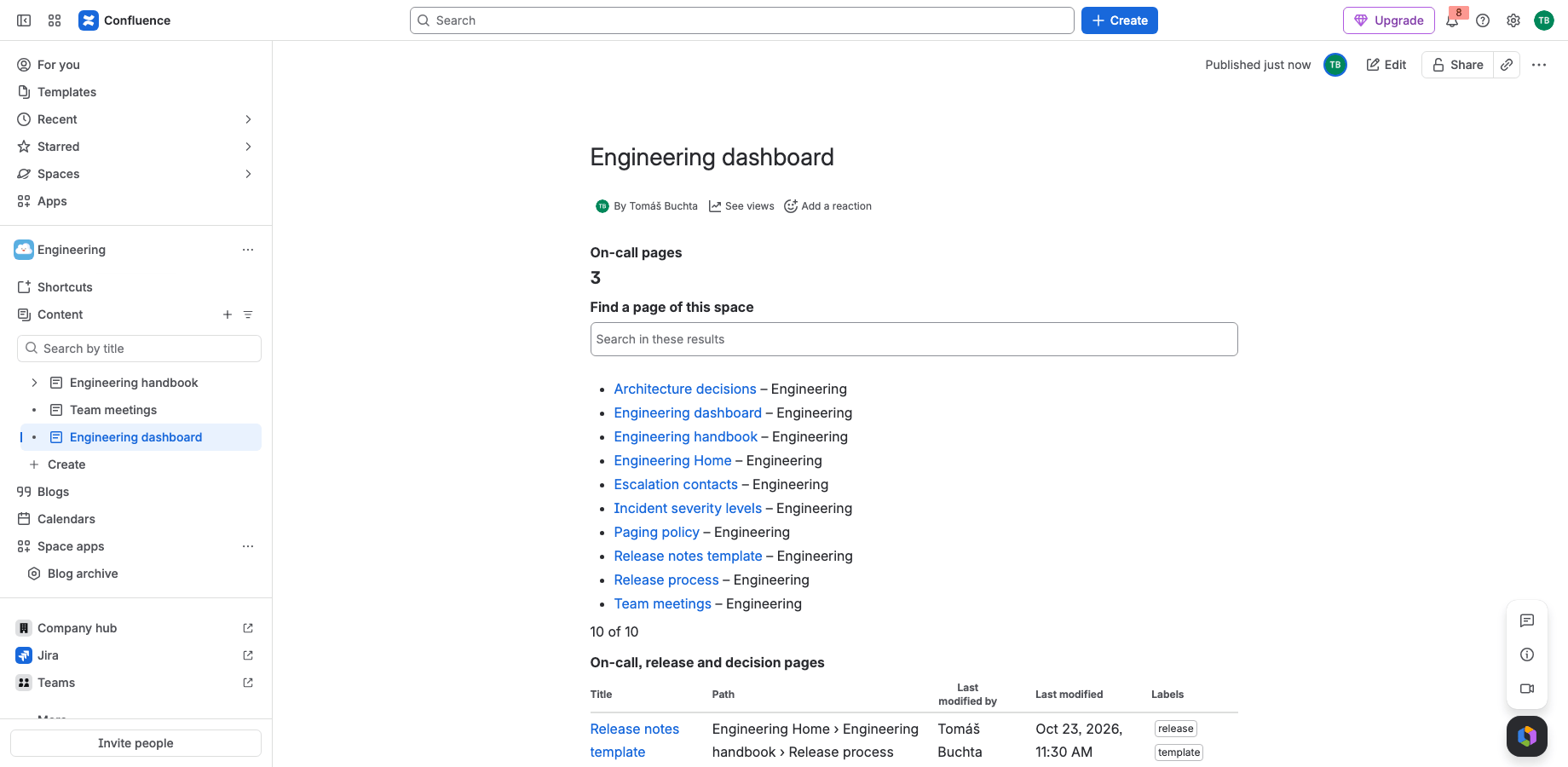
Live results on any page
The CQL Results macro shows a query as a table, a list or just a number, with an optional search box for readers. It works in PDF and Word exports and respects each viewer’s permissions.
Runs on Atlassian
Built on Forge, hosted by Atlassian
- Platform
- Atlassian Forge, hosted by Atlassian
- Your data
- No data leaves Atlassian
- Availability
- In Atlassian’s review, not yet on the Marketplace
- Privacy, terms and security
- Documentation
Portfolio
More apps for Jira and Confluence
 JIRAUndeleteRecycle Bin & Restore for JiraOn Marketplace
 JIRAForm SyncCopy, Version History & Backup for Jira FormsOn Marketplace
 CONFUndeleteTrash Audit & Restore for ConfluenceOn Marketplace
 JIRACreate LinksPrefilled Create Issue Links for JiraIn review
 JIRATeam EstimationSizing Board & Planning Poker for JiraIn review
 JIRADashboard StatisticsTeam, Organization & Sums for JiraIn review
 JSMAsset LabelsBulk QR Labels for Jira AssetsIn review
 JSMCustomer Profiles & Healthfor Jira Service ManagementIn review
 CONFBlog to PageConvert & Archive Blog Posts for ConfluenceIn review
Support
Questions about CQL Results?
Documentation
Setup, features, privacy, terms and security.
Read the documentationSupport portal
Open a request and follow its progress.
Open the portalSupport e-mail
Write to support; your message becomes a request.
support@tsutsei-support.atlassian.net